Collapse any open model until it fits your machine.
BlackHole-Harness takes a big open-weight model, works out what it is, and shrinks it: expert or neuron pruning for what you actually use it for, distillation to heal it, then 4-bit weights. You get a GGUF that runs on a 12 GB graphics card or a 32 GB Mac.
pipx install blackhole-harnessearly preview · open source, Apache-2.0 · first release lands with the public repo
Smaller and closer to the original than the old default
Every recipe ships with the run that justifies it. These come from B200 runs on 23 October 2026. Quality is KL divergence from the full model on held-out answers it wrote itself; the default recipes have to stay at or under 0.10 to pass.
Qwen3-30B-A3B mixture of experts · 128 experts, 8 active
Qwen3-8B dense
Same scale for every bar. Round-to-nearest quantisation; a GPTQ-style quantiser is next and should cut the int4 error further. Calibration uses 64 sequences, which scored as well as 256.
For MoE, prune a quarter to three-eighths of the experts, then 4 bits. It beat every mix of bit widths we tried at the same size.
Per-expert bit widths, dropping whole layers, and int3 on dense models all lost. They stay in the lab, not in the defaults.
For dense models below about 6 GB, prune 25% of the neurons and heal with real distillation: 5.4 GB at KL 0.27, ahead of int3.
What happens between a Hugging Face id and a file you can run
Detect
Reads the config and weight index without downloading weights: family, dense or MoE, expert count, size, and whether the result can fit your target.
Calibrate
The full model answers prompts about your purpose, like "Debugging Python and Rust". Those answers become the yardstick.
Score
REAP measures how much each expert, or each neuron in a dense model, contributes on that text. Grouped matmuls make it 2.8× faster.
Prune
Drops what your purpose doesn't use. Critical neurons are protected so the model doesn't fall apart.
Heal
Distils the pruned model back toward the original with LoRA, on the teacher's own answers.
Quantise
4-bit weights with an importance matrix from your purpose, head kept at 8 bits.
Gate
Checks KL against held-out teacher answers and the real memory footprint. A recipe fails loudly instead of shipping a broken model.
Package
A GGUF plus an Ollama Modelfile and a receipt of every number the run produced.
Your laptop drives, a rented GPU does the work
$ pipx install blackhole-harness
$ blackhole up --provider nebius --gpu b200 --yes
  prices first; rents only with --yes
  ✓ b200 ready · harness installed
$ blackhole ssh
  the TUI opens on the VM
$ blackhole down --keep-disk
  stops billing, keeps the compile cache
- 1
Install on any machine with Python. Nothing heavy runs locally.
- 2
Rent a GPU. Nebius by default, with evroc and Lambda adapters. You see the hourly price before anything is rented.
- 3
Pick a model and a recipe in the TUI. Jobs run detached, so a dropped SSH connection doesn't kill a run. Reconnect and it picks up the log.
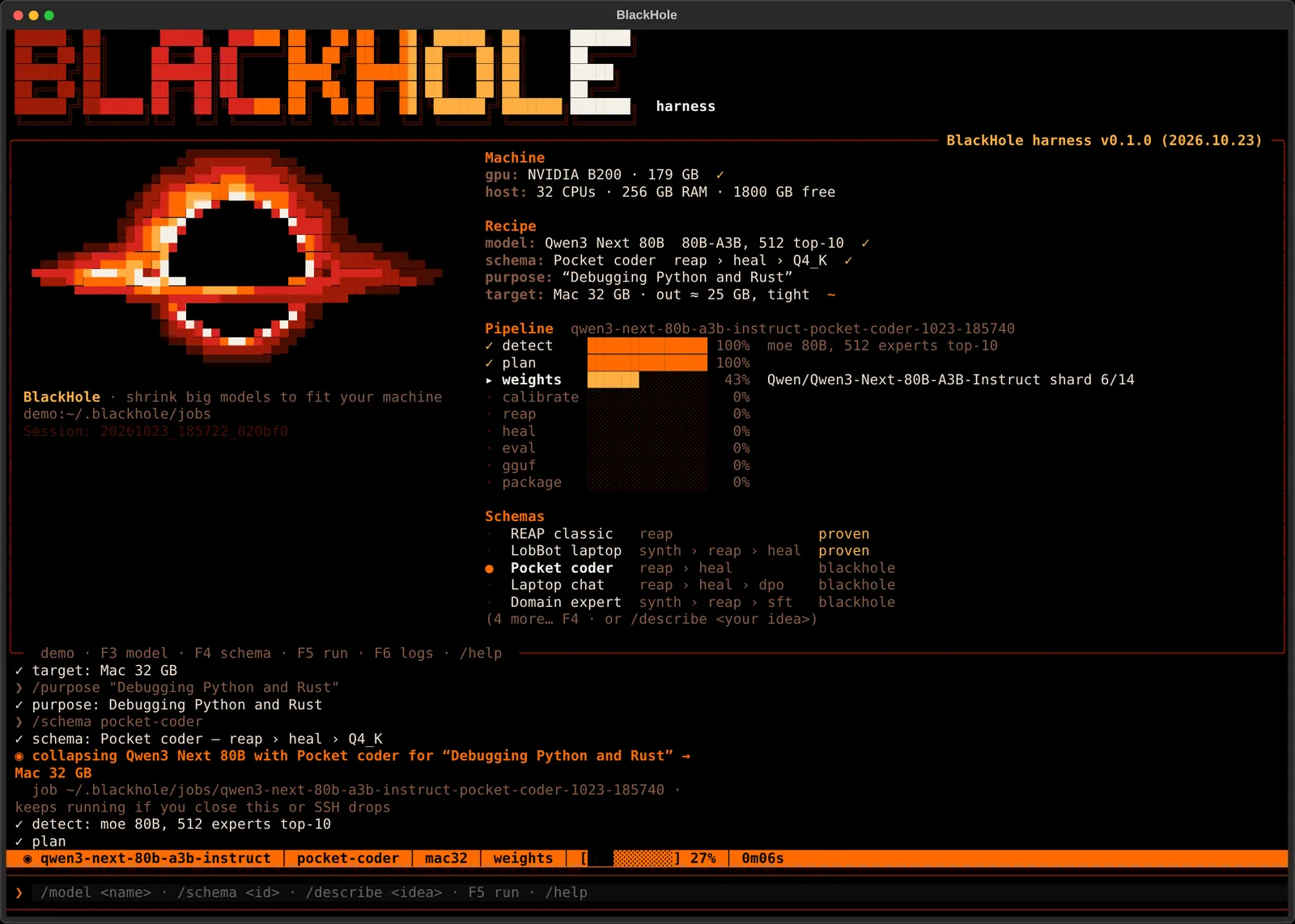
Recipes are files you can read, share and fork
id = "blackhole/moe-prune-int4"
title = "Prune a little, quantise to 4 bits"

[targets]
architectures = ["moe"]

[inputs.purpose]
type = "text"
help = "What should the model be good at?"

[[stage]]
kind = "data.teacher_gen"
samples = 64

[[stage]]
kind = "prune.reap"
ratio = "${inputs.prune}"   # 0.25 by default

[[stage.gates]]
metric = "kl"
op = "<="
value = 0.15
A schema is a short TOML file: which models it suits, what it asks you, the stages it runs, and the quality gates it must pass. Use the proven defaults, grab one from the marketplace, or write your own.
Or describe it in words
Keep it great at SQL, drop everything else, it has to fit my 4070.
Claude or GPT drafts the schema from your words, the harness lints it against the stages that actually exist, and you review it before anything runs. Bring your own API key.
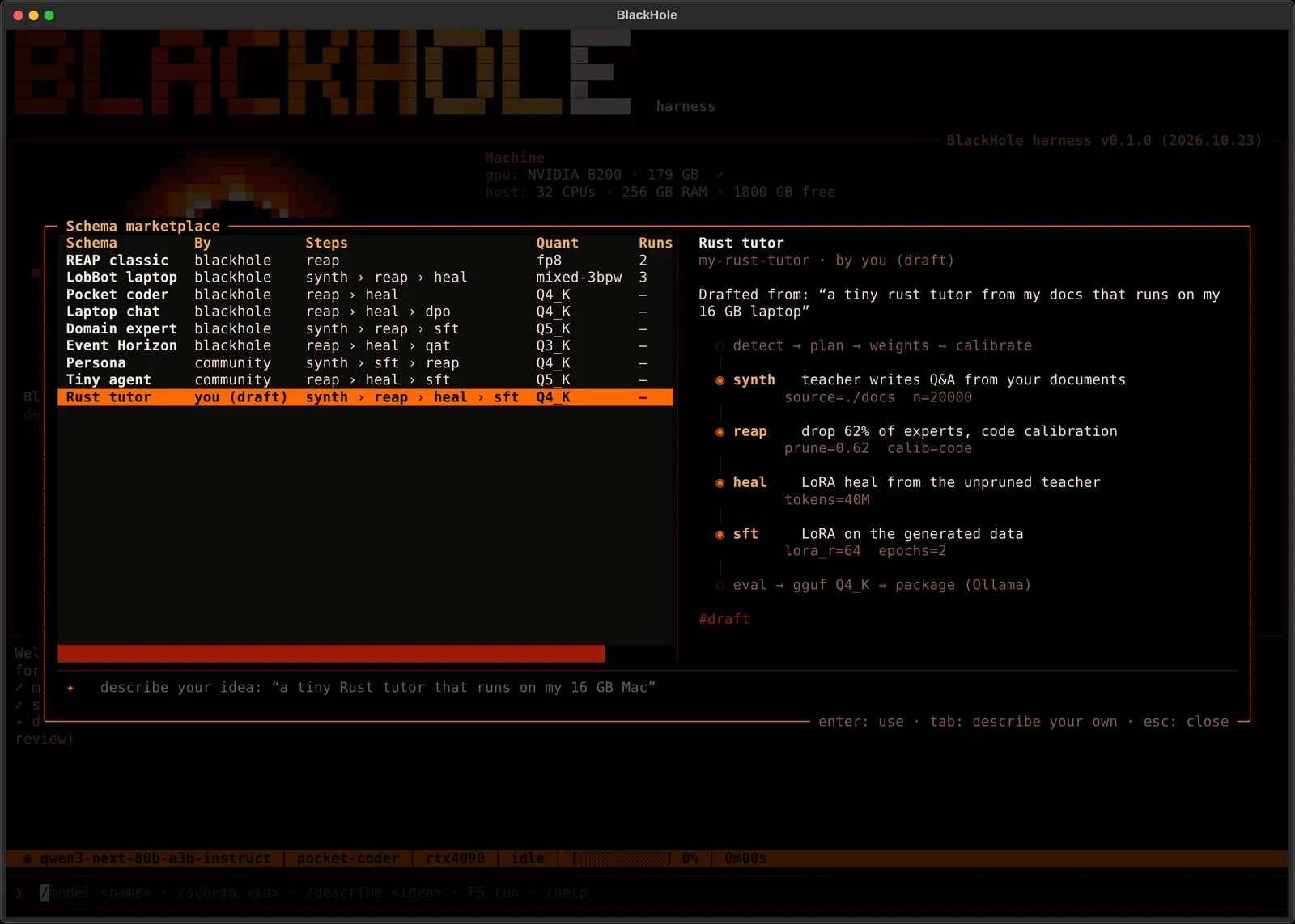
Tell it the machine, it sizes the model
Pick where the model will live. Detection checks the fit before a run starts, and the footprint gate checks it again at the end, context window and KV cache included.
pipx install blackhole-harness